
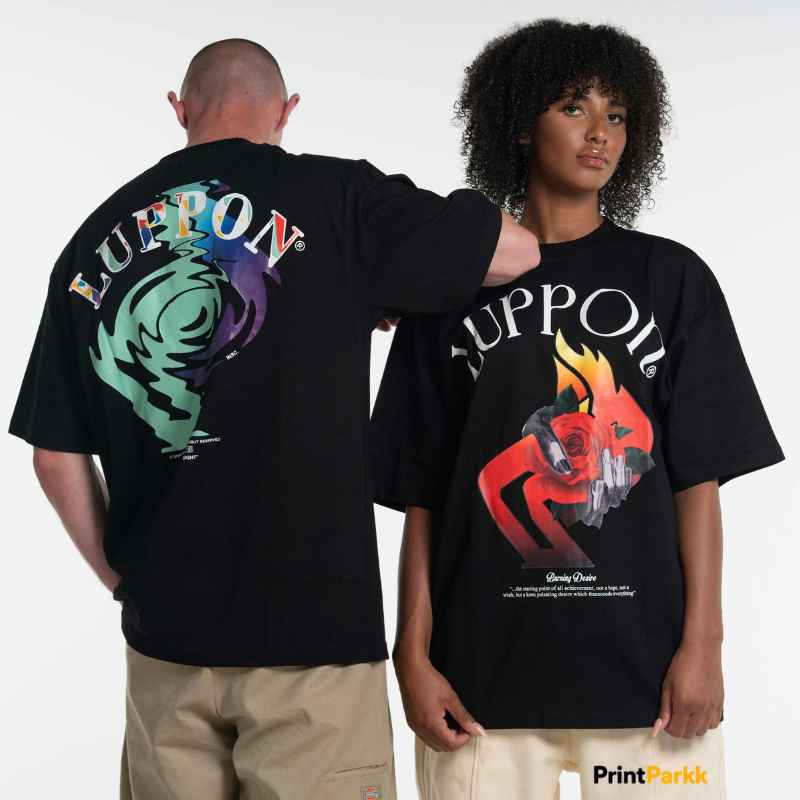
Your logo works great on a business card or a website header. But putting it on a t-shirt is a different challenge entirely. A logo that looks sharp at a small size on screen can look flat, awkward, or just plain boring when it’s blown up on fabric. If you want people to actually want to wear your branded merchandise — not just accept it as a freebie — your logo needs to be redesigned with apparel in mind, not just resized.
Here’s how that transformation works.
Start With What Your Logo Actually Represents
Before touching any design software, it helps to step back and ask what your logo is trying to say. A logo built for a law firm needs a completely different apparel treatment than one built for a coffee brand or a gym. The colors, the mood, and the audience all shape how the design should translate onto a shirt. Skipping this step is the most common reason branded merchandise ends up feeling generic.
Simplify Without Losing Identity
Most logos have small details — fine lines, gradients, tiny text — that print beautifully on paper but disappear or blur on fabric. A t-shirt design needs to simplify these elements while keeping the core identity intact. This usually means:
- Reducing gradients to flat colors or halftone effects
- Enlarging thin lines so they hold up on different fabric textures
- Choosing a version of the logo (icon-only, wordmark, or combination) that works best at shirt scale
Think About Placement, Not Just the Design Itself
A logo redesigned for a shirt still needs a home on the garment. A full chest print reads differently than a small left-chest placement or an oversized back print. Placement affects how bold or subtle the design should be, and it’s a decision that should happen early, not after the artwork is finished.
Choose Colors That Work on Fabric, Not Just Screens
Screen colors (RGB) and print colors don’t always match. A vibrant blue on your monitor might shift noticeably once it’s on cotton. Good apparel design accounts for this from the start, testing color choices against how they’ll actually appear on different shirt colors — not just white.
Make It Something People Want to Wear
The real test of a successful logo-to-shirt design isn’t whether it represents your brand accurately — it’s whether someone would wear it even if they had no connection to your business. The best branded merchandise blurs the line between “company shirt” and “shirt I’d actually pick out myself.” That usually means treating the logo as a design element within a bigger composition, rather than just stamping it in the center of a blank shirt.
Bringing It All Together
Turning a logo into apparel-ready artwork is part design skill, part strategy. It’s not about shrinking or enlarging an existing file — it’s about rethinking how your brand identity translates into something people will proudly put on their bodies. When done well, a t-shirt becomes one of the most effective (and walking) pieces of branding you can create.
FAQ
Do I need a new logo to get a good t-shirt design?
No. In most cases, your existing logo can be adapted for apparel. The process usually involves simplifying and adjusting it for print rather than creating a brand-new logo from scratch.
What file format should I provide for my logo?
Vector files (like AI, EPS, or SVG) work best since they can be resized without losing quality. If you only have a low-resolution image, let your designer know — they may need to recreate certain elements.
Can my logo be printed in full color on any shirt color?
Not always. Some colors don’t show up well on darker fabrics, and certain printing methods have color limitations. A designer will typically adjust the palette based on the shirt color and printing method being used.
How long does it take to get a t-shirt-ready design?
This depends on the complexity of the design and how many revisions are needed, but a straightforward logo adaptation usually takes just a few days.
Do you handle the actual printing of the shirts?
This service focuses on design only. Once your artwork is finalized and print-ready, you can take it to a printer of your choice or one you already work with.